Check Bluetooth and download settings before turning on lossless music
Key Takeaway
Check how your headphones connect before enabling lossless music. An Apple Music lossless badge does not mean the Bluetooth connection is lossless. Review wired playback and download settings too.
How do Lossless and Hi-Res Lossless differ?
Lossless compression reduces file size while preserving the original audio data. Apple Music uses ALAC. Its Windows guide lists Lossless at up to 24-bit/48 kHz and Hi-Res Lossless at up to 24-bit/192 kHz. These are upper limits, not the resolution of every track.
Spatial Audio on the Apple Music service page is a separate feature. Dolby Atmos Spatial Audio creates a sense of space, while lossless describes how audio data is preserved. Enabling Spatial Audio does not establish whether your connection is lossless. Information checked on October 24, 2026.
Can a lossless badge appear during Bluetooth playback?
Yes. The iPhone guide says streaming quality depends on track availability, network conditions and the capabilities of connected speakers or headphones. Use the album badge to find supported recordings, then check your output connection separately.
Apple says AAC Bluetooth does not support lossless quality. Some wireless headphones also support wired playback. Its guide explains how to update AirPods Max 1 (USB-C) and AirPods Max 2 to the latest software and firmware and connect them by USB cable. A charging port alone does not establish that a headphone supports USB audio.
Which iPhone settings should you open first?
Open Settings, Apps, Music, then Audio Quality, and enable Lossless Audio. Review cellular streaming, Wi-Fi streaming and download quality separately. You can choose different settings for mobile data and files saved at home.
Apple warns that higher resolutions consume more data and storage. File sizes vary by track, so there is no fixed per-song size here. Check available storage and start with albums you often play. If your menus differ, select the matching software version in the user guide.
When do you need an external DAC?
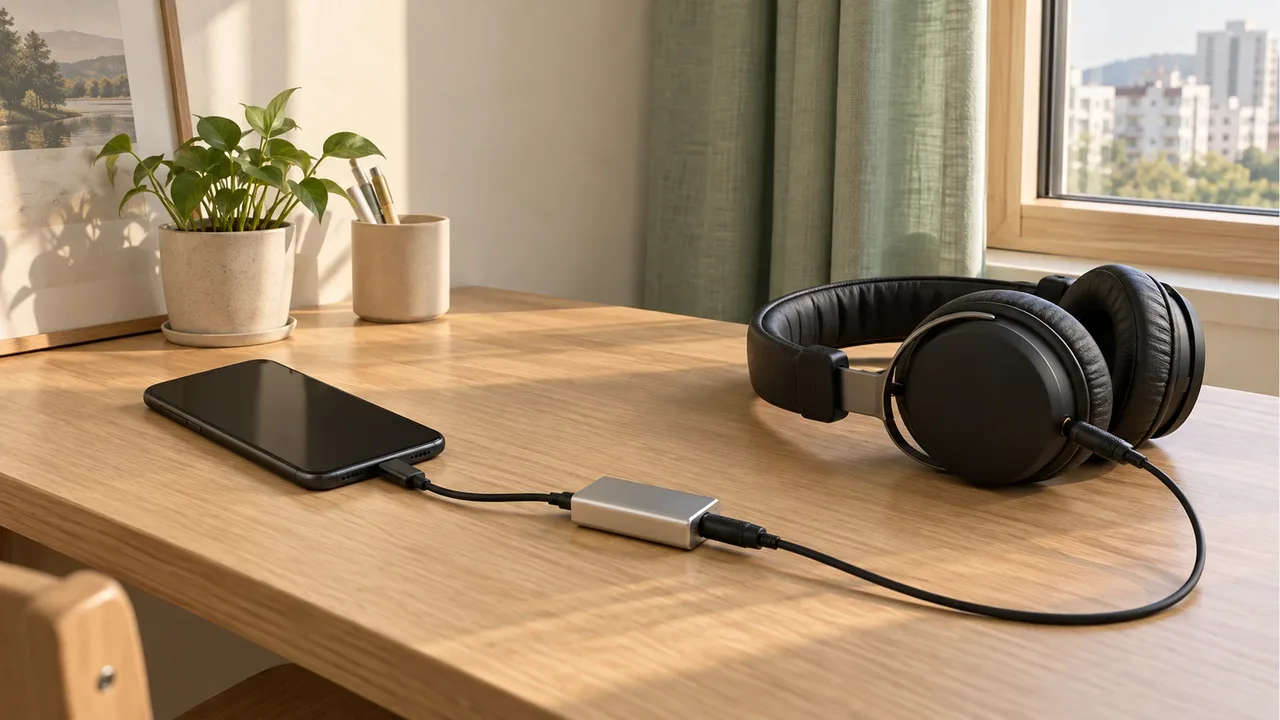
A DAC converts a digital signal into an analog signal. Apple describes an external DAC in the playback path for higher sample rates on iPhone and iPad. Before choosing Hi-Res Lossless, check that the DAC and connected equipment support the required resolution.
| What to check | What to look for |
|---|---|
| Phone and adapter | Check the port and audio output support. |
| External DAC | Read the manufacturer's supported bit depths and sample rates. |
| Headphones | Distinguish USB audio input from an analog wired input. |
If support is unclear, check that model's manual for audio input support. Devices with the same USB-C connector can work differently.
How should you check older downloads and other apps?
Apple says to remove an existing download, enable lossless and download the music again from the catalog. Confirm that you have a network connection, and distinguish removing a download from deleting a library item. The Windows app also separates streaming quality from download quality.
Spotify likewise explains that connection methods affect quality and that perceived differences vary between listeners. It advises manually lowering quality if buffering occurs. You do not need to keep the highest option selected when changing apps. Check the service settings and the output device together.
If volume changes between tracks, continue with the volume normalization settings article. Lossless selection and volume adjustment use different settings.
Frequently Asked Questions
Does a lossless badge mean my Bluetooth headphones are receiving lossless audio?
The badge alone cannot tell you. Check both the Apple Music source format and your headphone connection. Apple says lossless playback is not supported over AAC Bluetooth.
Does enabling lossless automatically replace downloaded songs?
Apple says to remove the existing download, enable lossless and download it again from the catalog. Read the options carefully to distinguish removing a download from deleting a song from your library.
What should I change first if Hi-Res Lossless playback keeps stopping?
Check your network and output device capabilities. Lower streaming quality to see whether interruptions decrease, and choose download quality separately.
Sources & Verification Date
- About lossless audio in Apple Music · Verified
- Play lossless audio in Music on iPhone · Verified
- Play lossless audio in Apple Music on Windows · Verified
- Apple Music official service information · Verified
- Spotify lossless audio quality · Verified
All materials have been verified from official announcements and may have changed since verification.